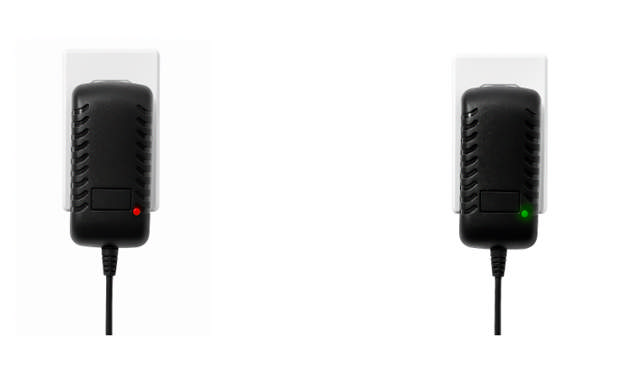
HOW TO CHARGE THE SLINGER LAUNCHER
(Outside of the Bag)
As we phase out the ability to charge the Slinger Bag directly through the control panel, it's important to follow these charging guidelines. If your model still has a charging port on the front of the machine, we continue to recommend removing the battery for charging to ensure optimal performance and longevity.
Ensure the launcher’s power switch is in the OFF position before starting.
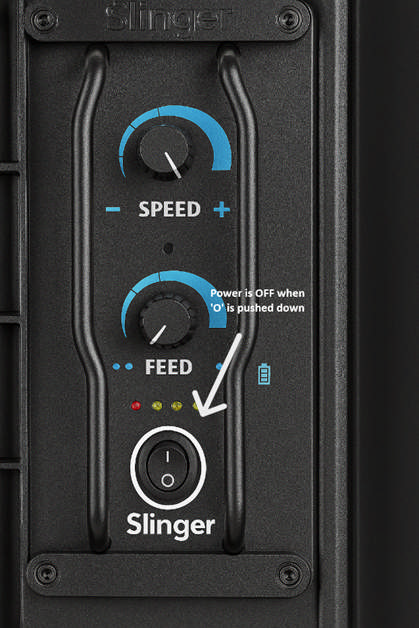
1. 📦 Unbox & Assemble the Charger
- Remove the charger and plug adapters from the box.
- Choose the correct adapter for your wall outlet.
- Firmly press the adapter into the cradle of the charger until you hear a click and it sits flush.

2. 🔧 Remove the Battery
- Locate the battery on the lower left side of the launcher.
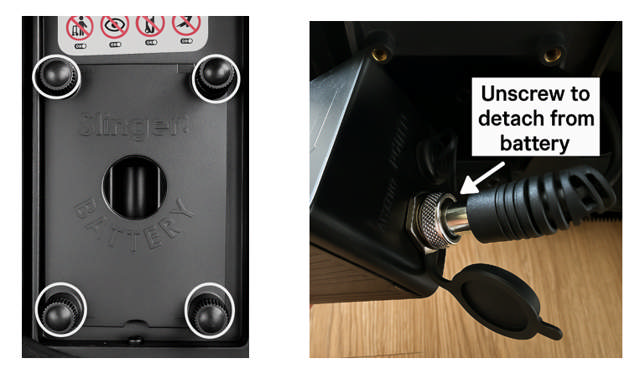
- Unscrew the 4 thumb screws at the corners of the cover.
(Refer to the image with white circles for guidance.) - Gently pull the battery out from the compartment.
- At the back of the battery, unscrew the round metal nut to detach the cable.
3. 🔌 Plug in the Charger
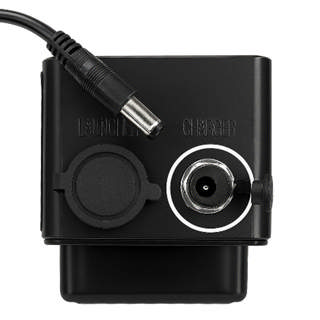
- On the battery, uncover the port labeled ‘CHARGER’.
- Insert the charger cable into this port.
- Plug the other end of the charger into a wall outlet.
4. ✅ Check the Charging Indicator
- Red Light = Charging in progress
- Green Light = Fully charged